THIS IS HOW CAMARAI WORKS
WhatsApp becomes your new waiter, manager, and brain of the restaurant.
SCAN THE QR
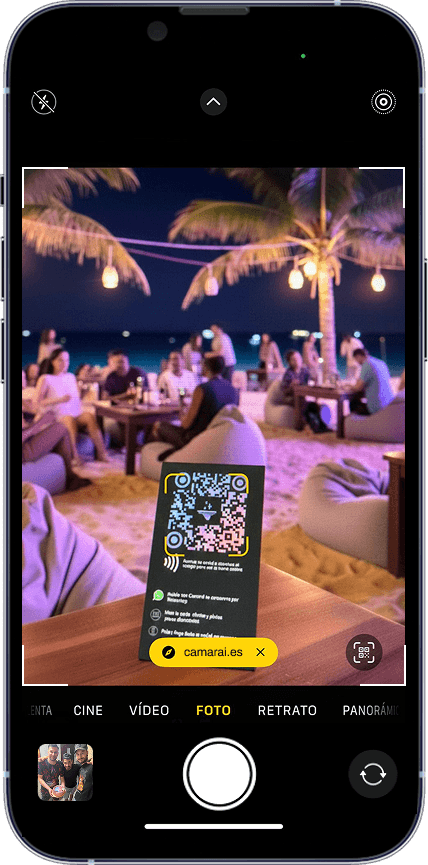
The customer scans the code on the table and directly accesses the restaurant's WhatsApp.
THIS IS HOW CAMARAI WORKS
WhatsApp becomes your new waiter, manager, and brain of the restaurant.
WhatsApp becomes your new waiter, manager, and brain of the restaurant.
SCAN THE QR
SCAN THE QR
Customers and employees scan the table's QR code and go directly to the restaurant's WhatsApp. Without downloading apps or annoying registrations.
MULTILINGUAL WELCOME
MULTILINGUAL WELCOME
MULTILINGUAL WELCOME
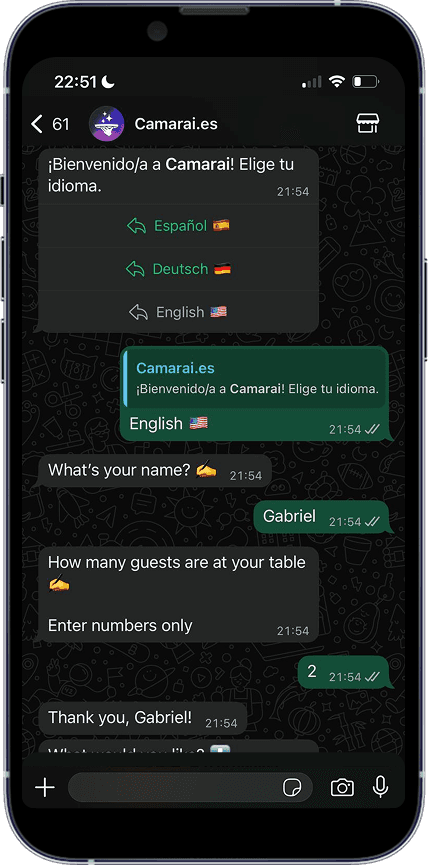
Don't lose customers due to language. CamarAI serves and sells in any language without the need for bilingual staff.
Don't lose customers due to language. CamarAI serves and sells in any language without the need for bilingual staff.
Don't lose customers due to language. CamarAI serves and sells in any language without the need for bilingual staff.
VISUAL MENU
VISUAL MENU
VISUAL MENU
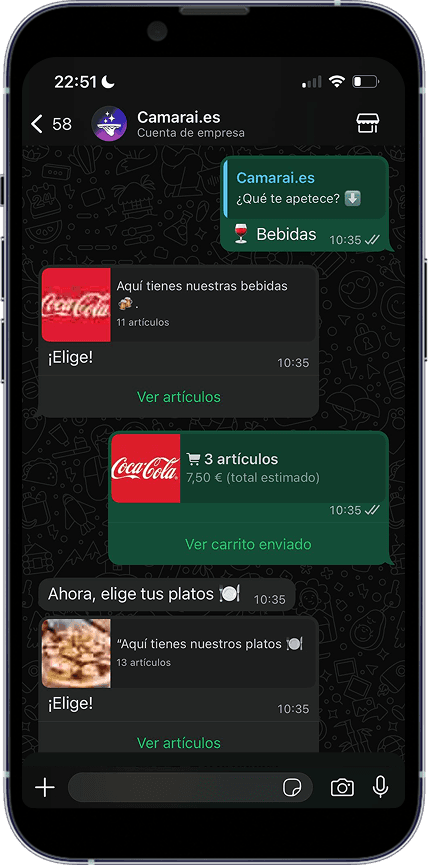
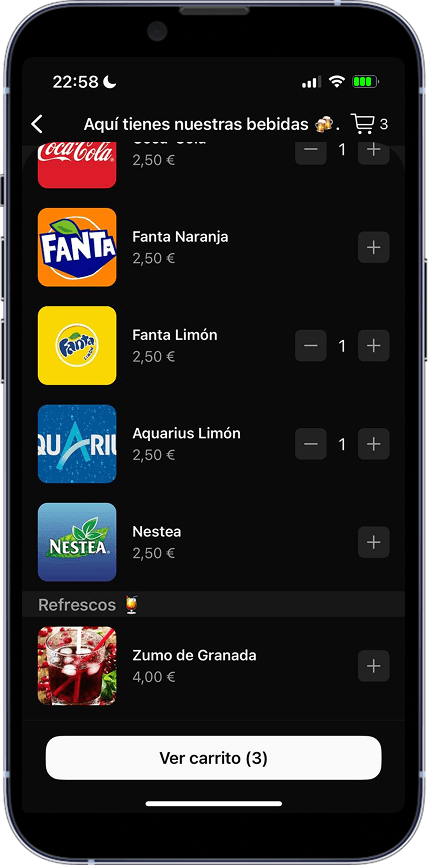
CamarAI acts as your best salesperson: it suggests pairings and extras with irresistible photos, increasing the average spend by 20%.
CamarAI acts as your best salesperson: it suggests pairings and extras with irresistible photos, increasing the average spend by 20%.
PAY
PAY
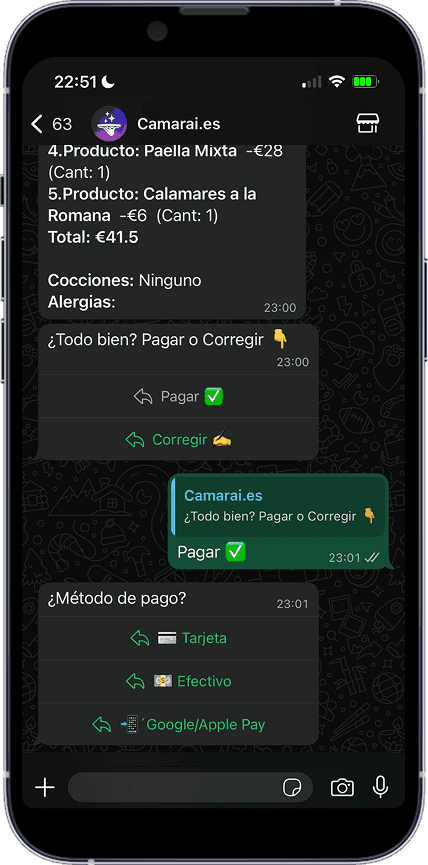
The customer chooses the payment methods they want. The customer leaves happy and you free up the table 15 minutes sooner.
The customer chooses the payment methods they want. The customer leaves happy and you free up the table 15 minutes sooner.
PAY
Order summary and payment method selection: cash, card, Bizum, Google Pay...
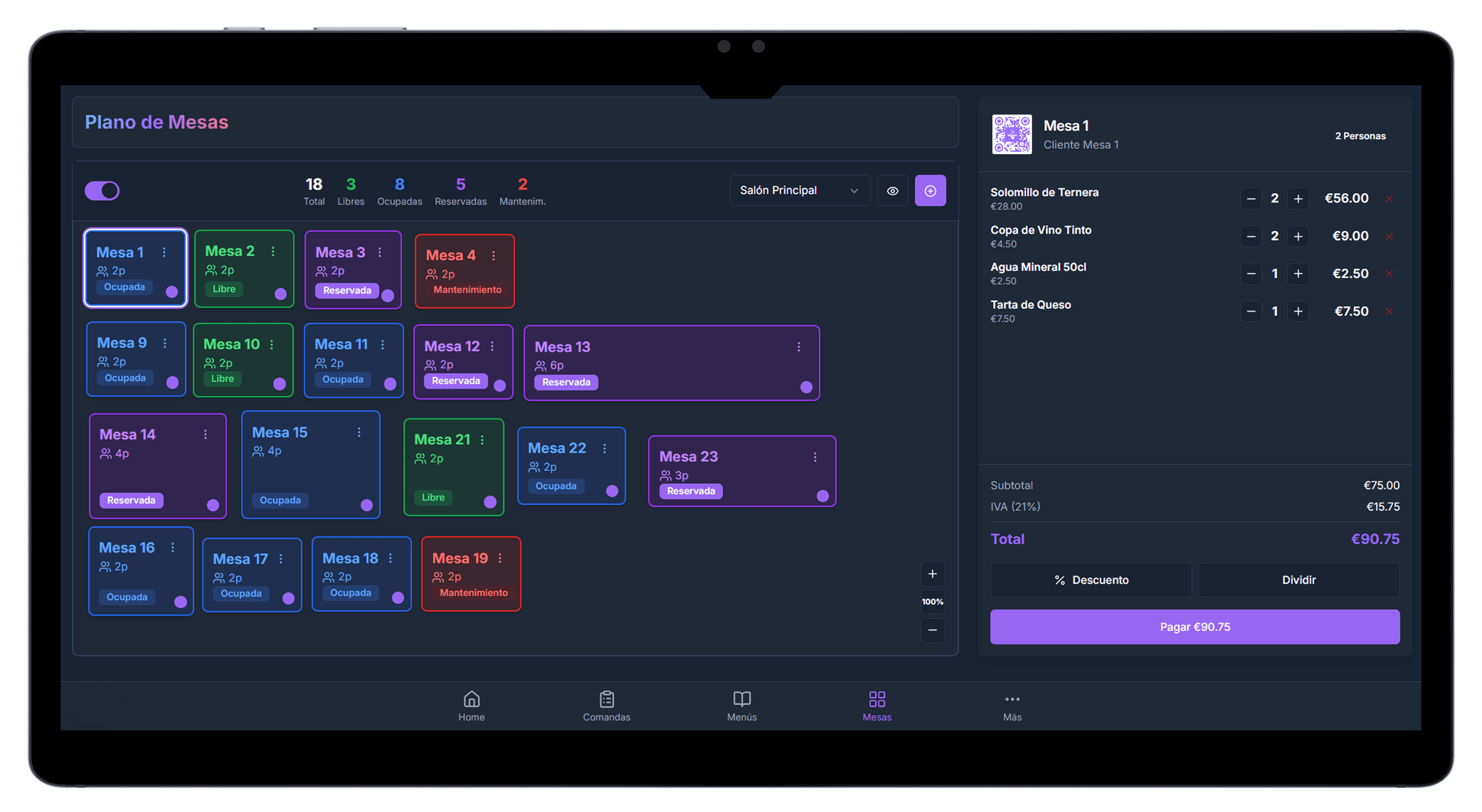
The order goes directly to the POS and is automatically printed in the kitchen or displayed on the KDS.
CONNECTION WITH TPV
CENTRALIZED DATA
Grow Your Digital Wealth through Staking and Earn Passive Income
CONNECTION WITH TPV
CONNECTION WITH TPV
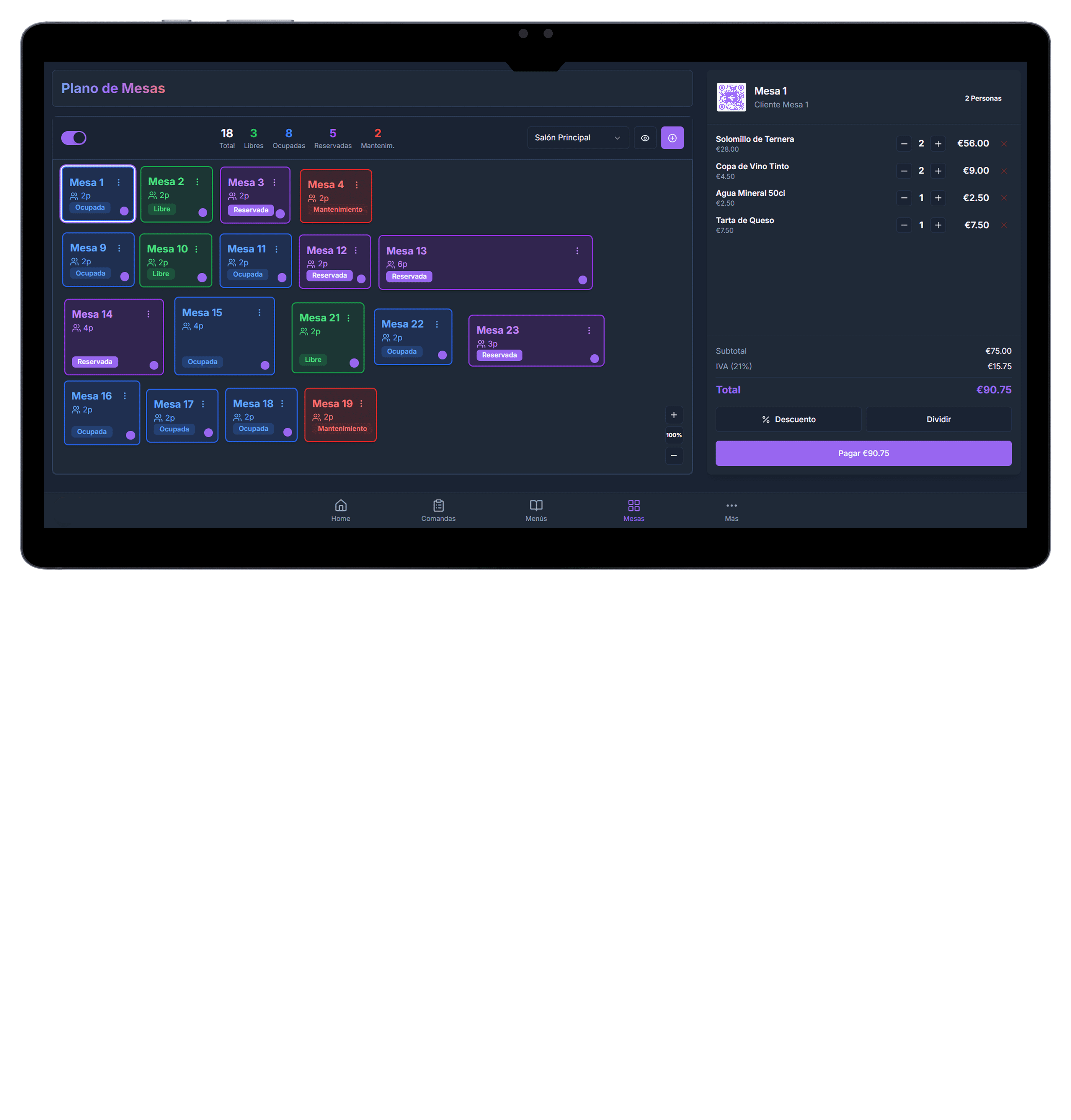
Zero manual tickets. The order goes straight to your POS (Point of Sale) and comes out of the kitchen printer. Zero errors, zero chaos.
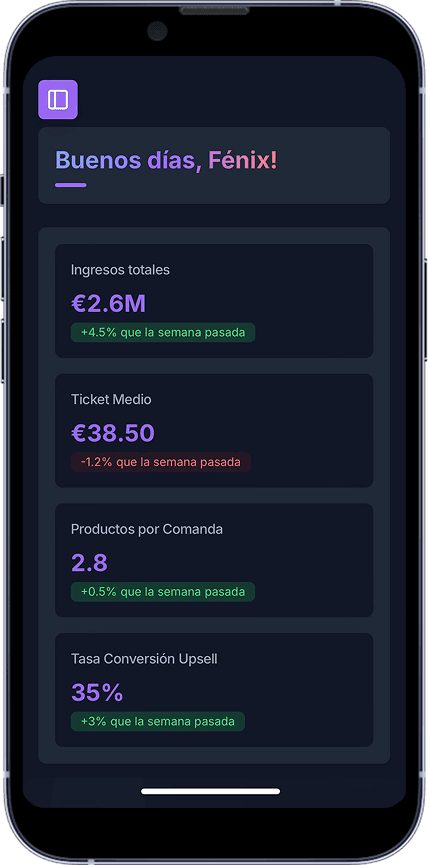
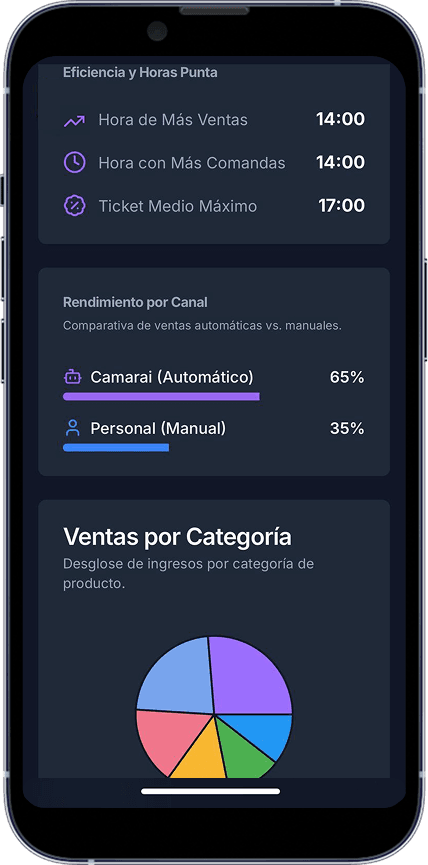
DATA
DATA
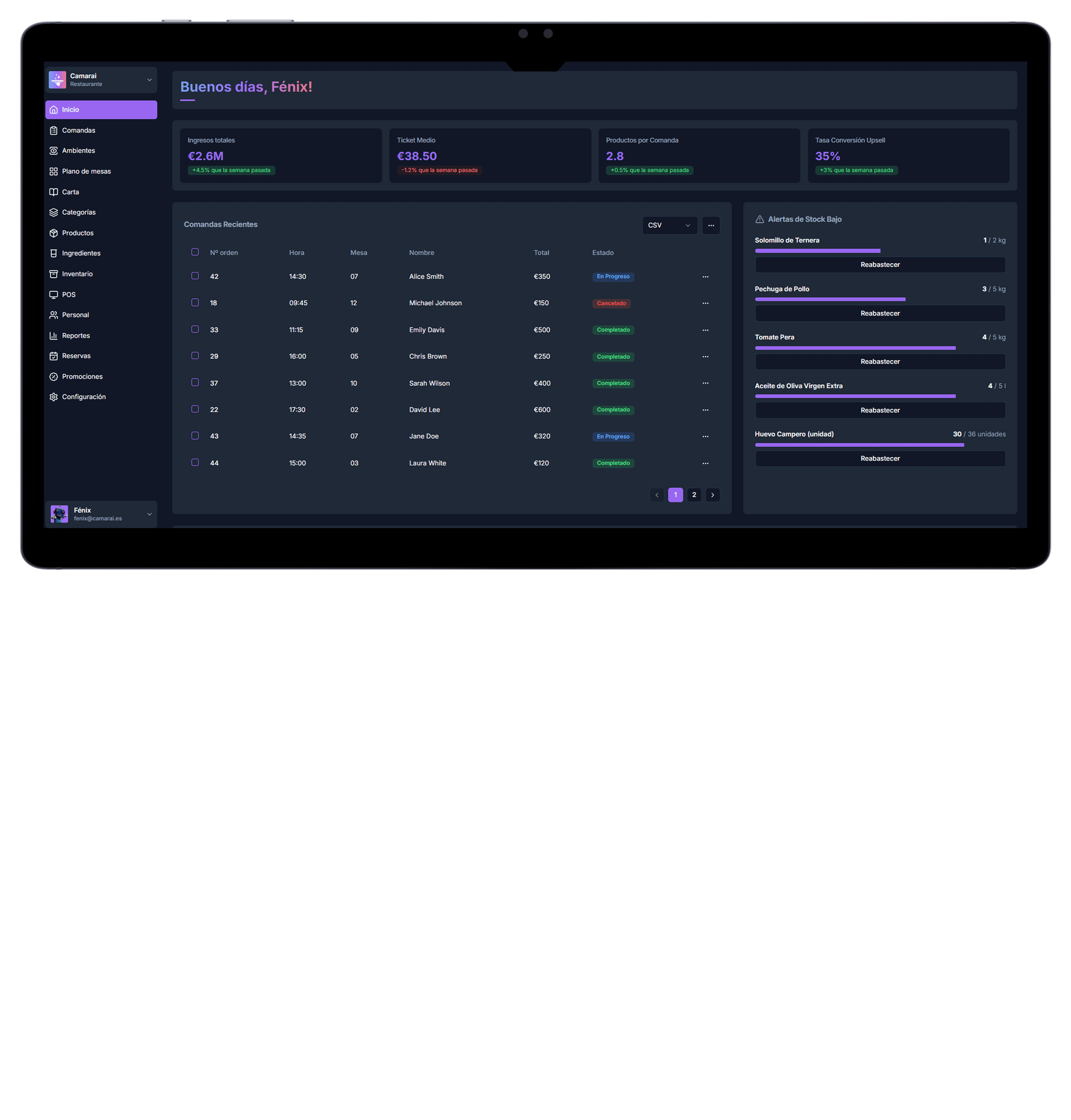
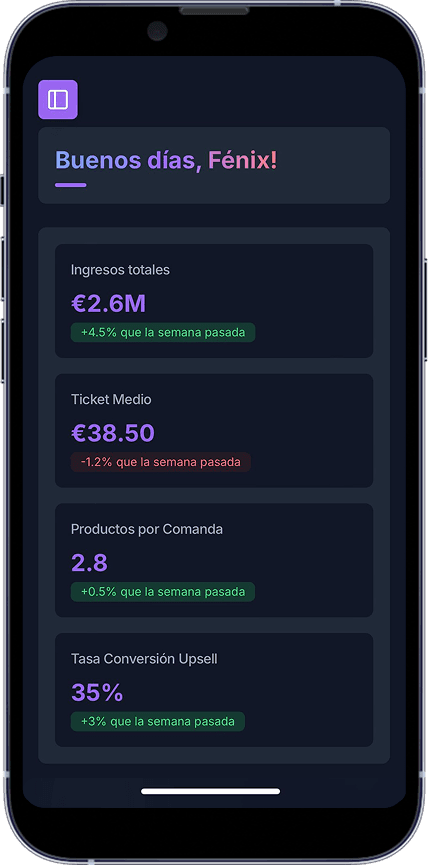
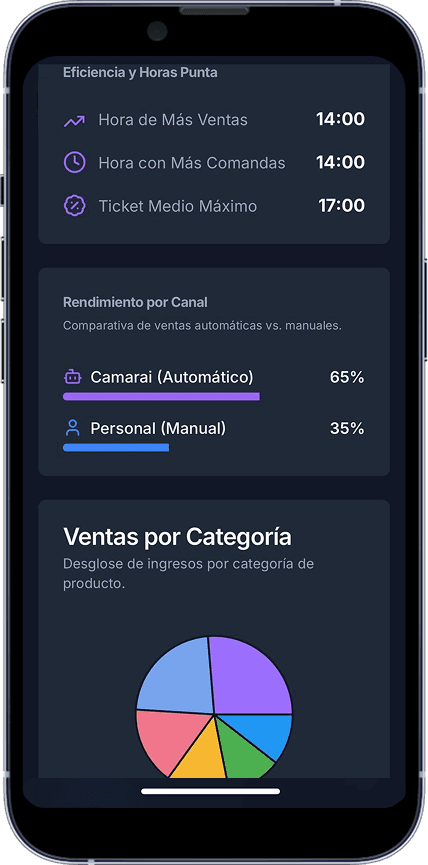
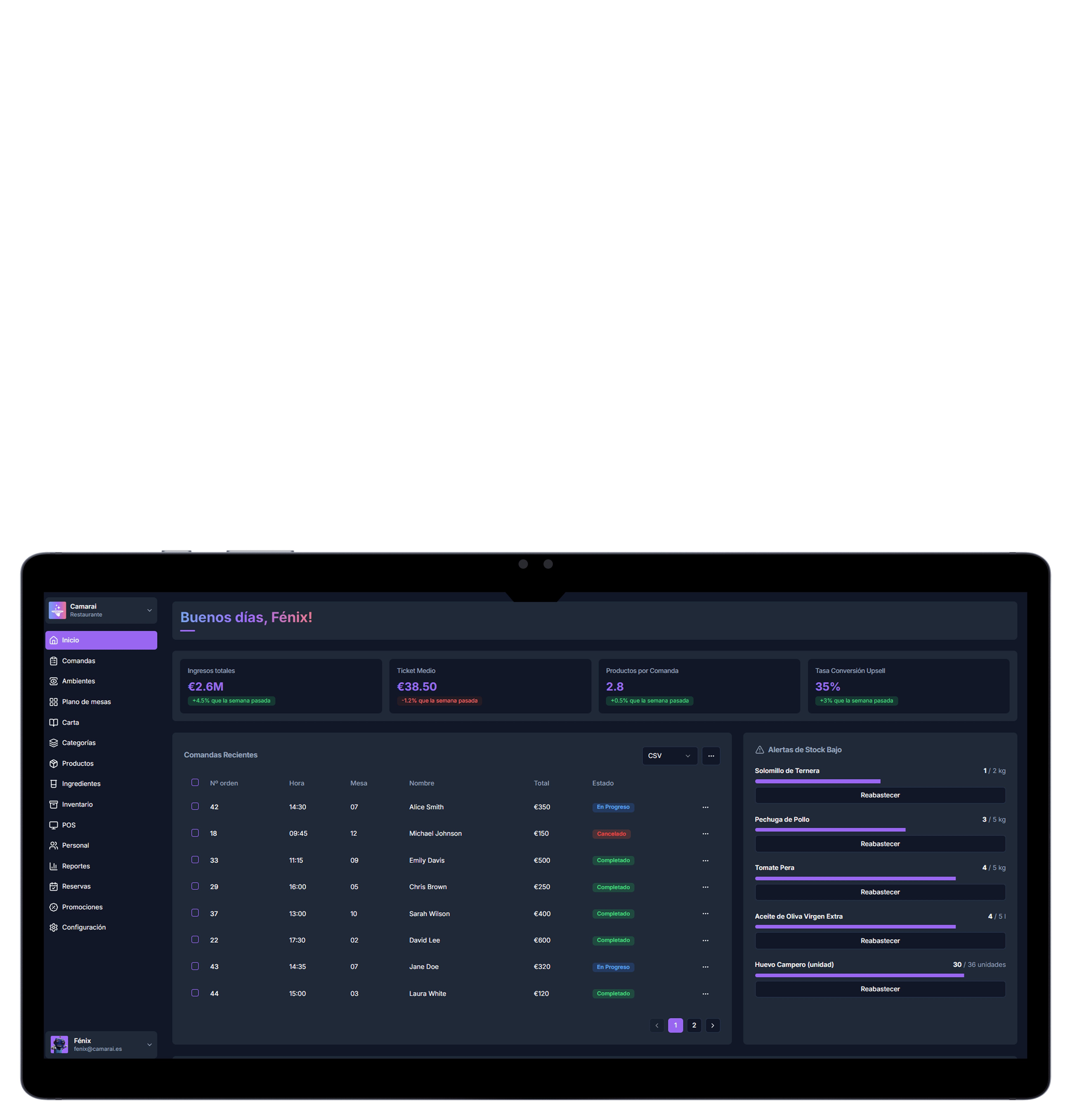
Stop guessing. Control sales, stock, and staff performance in real-time from your mobile phone. Clear data for quick decisions.
REVIEWS AND LOYALTY
REVIEWS AND LOYALTY
REVIEWS AND LOYALTY
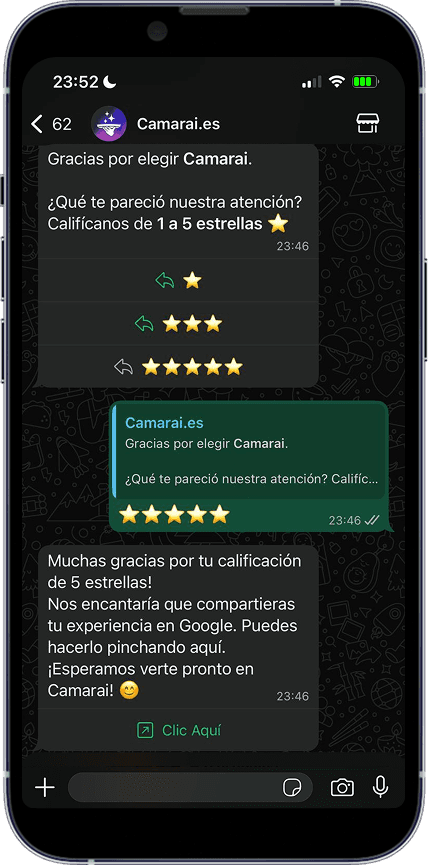
Turn satisfied customers into 5-star reviews. The system automatically boosts your reputation after every service.
Turn satisfied customers into 5-star reviews. The system automatically boosts your reputation after every service.